How to Make a Link Open in the App Instead of the Browser (YouTube, Instagram, Spotify, Amazon)
Tap a YouTube link inside Instagram and you land in a small browser where you're not signed in. Here's why, and how to make the link open the YouTube app instead.
In this article
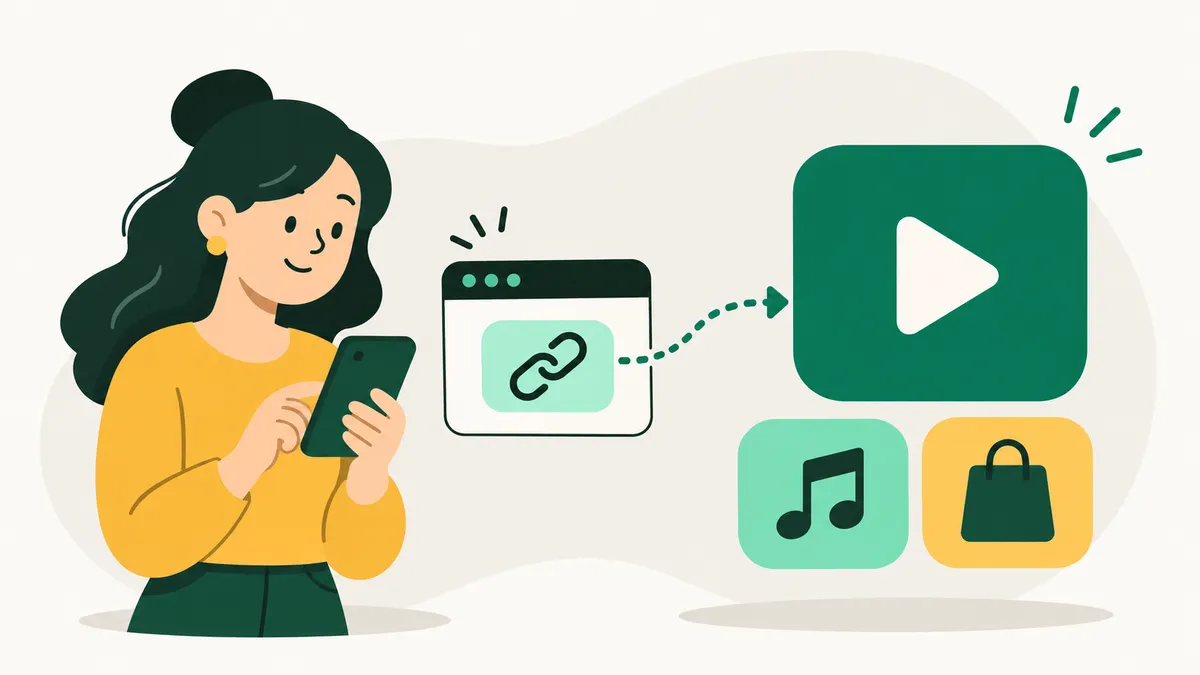
The short answer: when someone taps your link inside Instagram, Facebook or TikTok, it opens in that app's own small browser, not in YouTube, Spotify or Amazon. To make it open the right app, share a short link that knows which app the page belongs to and hands the visitor to that app on their phone. In MiniSnip that's one switch on the link, called Open in app, and it's on every plan, including Free.
Why links open in a browser instead of the app
Most social apps don't send links to your phone's browser. They open them in a built-in browser inside the app, so you never leave their feed. That has three costs for the person who tapped:
- They're not signed in. The built-in browser doesn't share logins with the YouTube app or Safari, so there's no subscribe button that works, no saved cart on Amazon and no "follow" on Spotify without signing in again.
- It's slower and smaller. Video plays in a cramped web player, and many people give up.
- The phone's own shortcuts are off. On iPhone, a normal tap on a YouTube link in Safari opens the YouTube app on its own (Apple calls this Universal Links). Inside an in-app browser that hand-off doesn't happen.
So a link that works perfectly when you test it in your own browser can still land your followers in the wrong place.
The two ways phones open apps
Android has a standard way for a web page to ask for an app: an intent link. It names the app, and the phone opens that app when it's installed. If it isn't, the same link carries a fallback web address, and the page opens in the browser instead. Chrome and the in-app browsers of the big social apps follow these links.
iPhone opens apps from Safari through Universal Links, so in Safari there's nothing to fix. Inside an in-app
browser, the way in is the app's own address, called a URL scheme, such as youtube:// or spotify:. Not every
app has a reliable one for every kind of page, which is why iPhone support is narrower than Android's.
What MiniSnip's Open in app does
When Open in app is on and the destination belongs to an app MiniSnip knows, each click is handled like this:
| Visitor | What happens |
|---|---|
| Android phone, any browser or in-app browser | Sent to the app with an intent link; the web page opens if the app isn't installed |
| iPhone in Safari or another full browser | A normal redirect; the phone opens the app by itself |
| iPhone inside Instagram, Facebook, TikTok and similar | The app's own address is tried first, then the web page after a moment |
| Computer | A normal redirect to the web page |
| Bot or link preview | A normal redirect, and it isn't counted as a click |
When an app is being opened, the visitor sees a short "Opening YouTube…" page with two buttons, Open in YouTube and Continue in browser. Most of the time they never need to tap either. The buttons are there for the in-app browsers that only let a person, not a page, hand a link to another app.
Which apps it covers
On Android, links to these apps open the app:
- Video and music: YouTube, YouTube Music, Spotify, SoundCloud, Twitch
- Social: Instagram, Facebook, TikTok, X, Threads, LinkedIn, Pinterest, Snapchat, Reddit
- Chat: WhatsApp, Telegram
- Shopping and maps: Amazon (amazon.com, amazon.co.uk and the other Amazon stores), Google Maps
On iPhone inside an in-app browser, three kinds of links open the app:
- YouTube videos, channels and Shorts, including youtu.be links
- Spotify tracks, albums, playlists, artists, episodes and shows
- Instagram profiles, such as instagram.com/yourname
Other links on iPhone get a normal redirect, which still opens the web page and, in Safari, often the app too.
How to set it up
- Create a short link to the page, for example your newest YouTube video or your Amazon product page.
- In the link's settings, tick Open in app.
- Save, and share the short link wherever you like: your bio, a story, a WhatsApp message, a QR code.
You can turn it on for an existing link too. The short address doesn't change, so links you've already shared start opening the app on the next click.
Test it the way your followers will meet it: send the short link to yourself in an Instagram DM, then tap it on your phone. On Android the app should open straight away. On iPhone, try a YouTube or Spotify link.
Where it helps most
- YouTube creators sharing a new video from Instagram stories or a TikTok bio. Viewers land in the YouTube app, signed in, one tap from subscribing. See how to shorten a YouTube link for timestamps and channel links.
- Musicians sharing a Spotify release, so fans can save it to their library instead of hitting a web player.
- Shops sharing Amazon product links from social posts, so buyers open the Amazon app where they're signed in and their cart and address are already there.
- Anyone sharing an Instagram profile from another app, so the visitor can follow in one tap.
What it can't do
- It can't open an app that isn't installed. The visitor gets the web page instead, which is the right fallback.
- It doesn't change where a link goes. It opens the same page in the app. To send iPhones and Android phones to different places, such as the App Store and Google Play, use device targeting instead. One link for the App Store and Google Play explains how.
- It doesn't cover every app. If a destination isn't on the list above, the link works as a normal short link.
Does it change your click counts?
No. A click is counted once, whether the visitor ends up in the app or the browser, and the app it was tapped in is still recorded as the source. Bots and link previews never trigger the app hand-off and are left out of your counts as usual. Who opens your link before any person does covers what those visits are.
Quick checklist
- The destination is a page in one of the supported apps.
- Open in app is ticked on the link.
- You tested it from inside Instagram or TikTok on a real phone, not only on your computer.
- For App Store and Google Play links, you used device targeting, not Open in app.
Frequently asked questions
Why does my link open in a browser instead of the app?
Instagram, Facebook, TikTok and other social apps open links in their own built-in browser, where the visitor isn't signed in to YouTube, Spotify or Amazon. A link that hands the visitor to the right app avoids that.
How do I make a YouTube link open the YouTube app?
Shorten it with MiniSnip and tick Open in app. On Android it opens the YouTube app from any app. On iPhone, Safari already opens the app, and inside Instagram or Facebook the link tries the YouTube app before falling back to the web page.
What happens if the person doesn't have the app?
They get the normal web page. On Android the link carries the web address as a fallback, and on iPhone the page moves on to the web address after a moment.
Is Open in app free?
Yes. It's available on every MiniSnip plan, including Free.
Which apps can a MiniSnip link open?
On Android: YouTube, YouTube Music, Instagram, Spotify, Amazon, TikTok, Facebook, X, Threads, LinkedIn, Pinterest, Snapchat, Telegram, WhatsApp, Twitch, Reddit, SoundCloud and Google Maps. On iPhone inside in-app browsers: YouTube, Spotify and Instagram profiles.
Does opening the app affect click tracking?
No. Each person is counted once, with the app they tapped in recorded as the source. Bots and link previews aren't sent to the app and aren't counted.